Tecno, Infinix & itel MDM Unlock Official Server
Permanently release corporate Mobile Device Management (MDM), enterprise administration profiles, and finance management payload locks across eligible Tecno, Infinix, and itel (Transsion Group) smartphones using the official Supplier #4 server API on GrandUnlock. Calculated and cleared directly on the official server database, this service removes the lock screen restriction remotely by IMEI without requiring testpoints, bootloader unlocking, or motherboard hardware work.
- Supported Brands: Full coverage for eligible Tecno, Infinix, and itel Android smartphones.
- Server Connection: Direct IMEI-based server clearance via Supplier #4 gateway.
- Non-Invasive Service: No physical flashing, EDL testpoints, or device disassembly needed; the lock is removed over-the-air (OTA) upon connecting to Wi-Fi once the server order completes.
- Factory Status Retention: Maintains original software integrity, OTA update capabilities, and full dual-SIM network functionality.
- Delivery Window: Processed during active business days (Monday to Friday).
Important Technical Guidelines & Policies:
1. Working Schedule:
- Server operations run strictly Monday through Friday.
- Orders placed on weekends (Saturday/Sunday) will be processed on the next business day.
2. STRICT POLICY – IMEI Changed Devices:
- NO REFUND for devices with modified, repaired, or altered IMEIs.
- The submitted 15-digit IMEI must match the original factory IMEI printed on the back housing sticker or original box label. If the board IMEI does not match factory database records, the unlock will fail with no refund provided.
3. Lock Screen Verification:
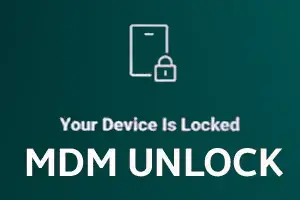
- Ensure the lock is an MDM / Device Management lock screen (e.g., "Your device is locked", "Device managed by organization", or finance provider lock).
- This service does not remove Google Account (FRP) locks. If FRP is active, it must be cleared separately after MDM removal.
4. No Cancellation:
- Once submitted to Supplier #4 processing queue, orders cannot be canceled or modified under any circumstances.
How to Order:
1. Obtain the original factory 15-digit IMEI from the device lock screen, back sticker, or SIM tray.
2. Take a clear photo of the locked screen showing the lock message and IMEI.
3. Upload the photo to a public image host (such as imgbb.com or postimages.org) and copy the direct link.
4. Enter the verified 15-digit IMEI and the lock screen photo link into the order fields on GrandUnlock.
5. Complete checkout to submit the request to the server queue.
How to Complete the Unlock Once the Order Shows "Completed":
1. Turn on the device and make sure it is on the setup or locked screen.
2. Tap "Device Status" or "Start Inquiry" (if visible on screen).
3. Connect the phone to a stable Wi-Fi network.
4. Wait 1 to 2 minutes for the device to communicate with the authorization server.
5. Restart the device. The lock profile will clear and allow full setup access.
*(Tip: If the lock screen persists, perform a standard factory recovery wipe, reconnect to Wi-Fi, and reboot.)*